Updated October 2026 · prices checked Oct 10, 2026.
The Short Answer
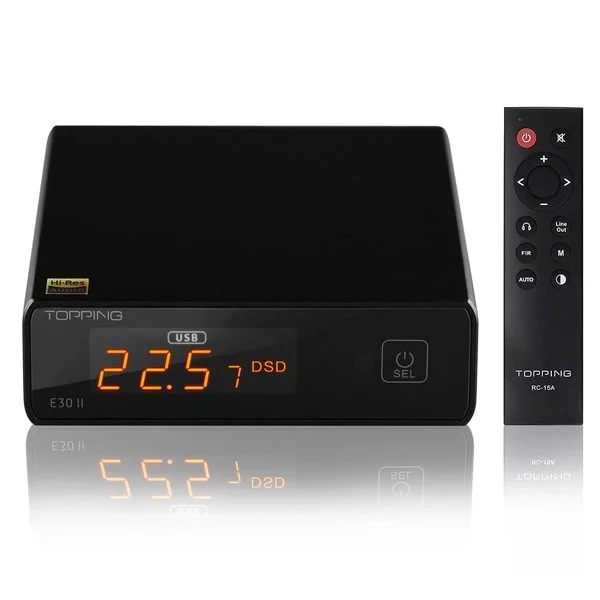
A DAC (digital-to-analog converter) turns digital audio, the numbers in a file or stream, into the analog electrical signal that your headphones or speakers actually play.
Every time you listen to music from a phone, computer, or streaming device, a DAC is doing this conversion. You already have one. The question is whether it’s good enough.
The Slightly Longer Answer
All digital audio, whether an MP3, a FLAC file, a Spotify stream or a YouTube video, is stored as binary data: a sequence of numbers that represent sample values of a sound wave captured at regular intervals.
To produce actual sound, those numbers have to be converted back into a continuously varying electrical signal that can push a driver cone or headphone transducer back and forth. That conversion is what a DAC does.
Think of it this way: digital audio is like a recipe written in numbers. The DAC is the chef who turns those numbers into the actual meal — an analog electrical signal that becomes sound.
Why Your Built-in DAC Might Be Limiting You
Every phone, laptop, and PC has a DAC built in. The question is how good it is.
The problem with built-in DACs: They share a circuit board with processors, graphics cards, power regulators, and USB controllers — all of which generate electrical noise. That noise can contaminate the audio signal, producing audible hiss, buzz, or distortion, especially with sensitive headphones.
Laptop audio chips in particular are often poor. Many thin-and-light laptops use barely-adequate audio chips because audio quality isn’t a selling point for most buyers. The result: a headphone jack that produces audible background noise with quality headphones.
A dedicated external DAC sits outside the computer, in its own electrically isolated enclosure. It receives a clean digital signal via USB (or optical/coaxial), converts it away from the computer’s electrical noise, and outputs a clean analog signal. The difference is audible in noisy setups — and sometimes dramatically so.
What a DAC Actually Improves
| Problem | Does a DAC fix it? |
|---|---|
| Background hiss/buzz from laptop | Yes: eliminates electrical noise |
| Volume too low from phone | No: that’s an amp issue |
| Muddy or distorted sound at high volume | No: that’s an amp clipping |
| Flat, boring, lifeless sound | Rarely: usually the headphone, or an underpowered amp |
| MP3 sounds worse than FLAC | No: the DAC reveals what’s there; the source quality matters |
| Headphones sound better from some sources | Yes: DAC quality affects output noise floor |
DAC vs Amplifier: What’s the Difference?
Many first-time buyers confuse DACs and amplifiers. They’re different stages in the audio chain:
DAC → Converts digital to analog. Output is a line-level signal (about 2V). Not loud enough to drive headphones directly.
Amplifier → Takes the line-level signal and amplifies it to headphone-driving voltage and current. Provides volume control.
Headphone → Converts the amplified electrical signal into sound.
Some products combine both: a DAC/amp combo like the FiiO K11 R2R or iFi Zen DAC 3 does both jobs in one box. Others are separate: a standalone DAC (like the Schiit Modi 5) connected to a standalone amp (like the Schiit Magni).
Do You Actually Need a Separate DAC?
You don’t need a separate DAC if:
- Your current setup sounds clean with no background noise
- You’re using IEMs or easy-to-drive headphones from a modern phone or laptop
- You listen at moderate volumes and haven’t noticed noise issues
You likely benefit from a separate DAC if:
- You hear hiss, buzz, or electrical noise through your headphones
- You’re building a desktop setup with a separate headphone amplifier (the DAC completes the chain)
- You’re using quality headphones (HD 600, DT 990, planar magnetics) on a PC
- You want to connect multiple audio sources to one audio output
DAC Formats and Connections
USB DAC: Connects to a computer via USB. The most common format for desktop audio. The computer sends a digital audio stream; the DAC converts it and outputs analog.
Optical (TOSLINK): Digital optical cable. Common on TVs, gaming consoles, and older equipment. Electrically isolated from the source — immune to ground noise and USB interference.
Coaxial (S/PDIF): Digital coaxial cable. Higher bandwidth than optical; preferred for very high sample rates (192kHz+). Used on professional equipment.
Bluetooth: Wireless digital transmission. Codecs like LDAC (up to 990 kbps) get close to wired quality. DAC/amps like the Topping DX5 II accept Bluetooth as an input.
Common DAC Questions
“Is there an audible difference between good DACs?” At modern performance levels, DACs that measure well are difficult to distinguish in blind tests. Owners often describe chip families by character (ESS as clean, Burr-Brown as warm, R2R as relaxed), but between competent designs the measured differences are small. Inputs, outputs and features are better reasons to choose one DAC over another.
“Does 24-bit / 192kHz matter?” Almost all modern DACs support these formats, and almost all music is 16-bit/44.1kHz. High-resolution audio (24/96, 24/192) has measurable differences from CD quality; whether those differences are audible through typical headphones is genuinely debated.
“Should I buy a DAC or an amp first?” If you’re on a tight budget: an amplifier first. Underpowered headphones (not enough volume, compressed dynamics) are more noticeable than DAC noise. Once you have a good amp, add a DAC to complete the chain.
The numbers behind “hi-res”
What the format numbers mean in practice. Dynamic range here is the theoretical figure for the format; real recordings use much less.
| Format | Bit depth → theoretical dynamic range | Sample rate → highest frequency it can carry |
|---|---|---|
| CD / most streaming | 16-bit → ~96 dB | 44.1 kHz → 22.05 kHz |
| “Hi-res” streaming | 24-bit → ~144 dB | 96 kHz → 48 kHz |
| Studio masters | 24-bit → ~144 dB | 192 kHz → 96 kHz |
Human hearing tops out around 20 kHz, and no DAC’s analog output gets near 144 dB of real dynamic range; even very good DACs measure in the 120s. That’s why a competent 16-bit/44.1 kHz chain already covers what headphones can show you.
What to buy (October 2026)
- No headphone amp yet: buy a DAC/amp combo. The FiiO K11 R2R (~$170) has a 4.4mm balanced output and enough voltage for 300Ω headphones. See today's price for the FiiO K11 R2R on Amazon ↗
- You have an amp-only unit: a standalone DAC. The Schiit Modi 5 ($149) has USB, optical and coax inputs. See today's price for the Schiit Modi 5 on Amazon ↗ See today's price for the Schiit Modi 5 from Schiit ↗
- You want Bluetooth too: the Topping DX5 II (~$299) is a DAC, headphone amp and LDAC receiver in one. See today's price for the Topping DX5 II on Amazon ↗
Rankings with specs: best DAC under $200 · best DAC/amp combo under $200 · under $300 . Not sure you need an amp as well? The do I need a headphone amp? table shows the voltage 11 popular headphones need.